Transcription app for iPhone
A voice to text app for whole recordings. Record on your iPhone or Apple Watch, or pick a file or a video, and get a transcript with every speaker labeled, in 99+ languages. Then turn it into a summary, a quiz or flashcards.

- Free plan, no card
- The app in 24 languages
Record
Tap × to minimize & browse
00:42
Recording
Live captionsSpanish
Hoy repasamos el presupuesto del viaje.
Lucía reserva el hotel esta semana.
Y yo me encargo de los billetes de tren.

How the app works
Three steps, on your phone or your wrist.
1 Record, or pick a file
Tap Record on the iPhone or the watch, or choose audio from Files or a video from Photos.
2 Get the transcript
It arrives with every speaker labeled and every word timed. A notification tells you when it's ready, so you can put the phone away.
3 Use it
Read along as it plays, then make a summary, a quiz or flashcards, translate it, or export it as TXT, SRT, VTT, PDF, DOCX or Markdown.

Free plan, no card.
Record and transcribe
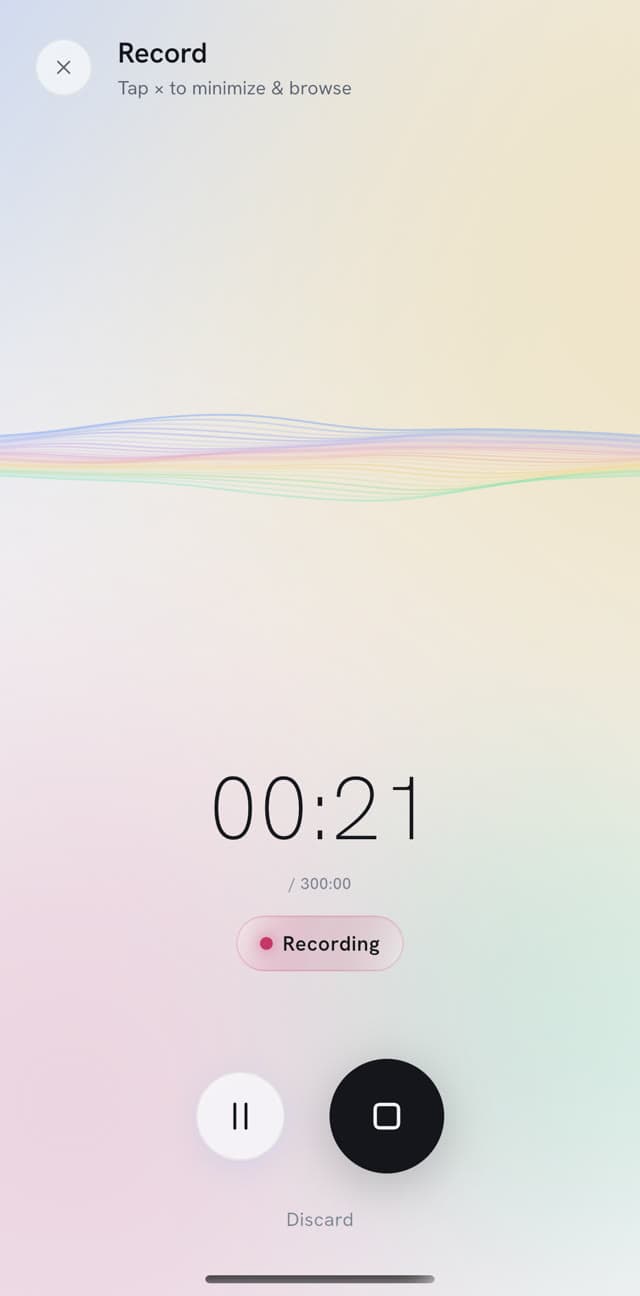
A recording and transcription app in one. Start recording, lock the screen, and the app keeps going until you stop.
- Lock the screen. The recording carries on in the background, in your pocket or on the table.
- Nothing lost. If the app closes in the middle of a recording, it offers that recording back the next time you open it.
- Bring what you already have. Pick audio from Files or a video from Photos.
- Edit the audio. Trim the start and the end, or cut a part you don't need.
Record on your wrist, phone or not
Apple Watch
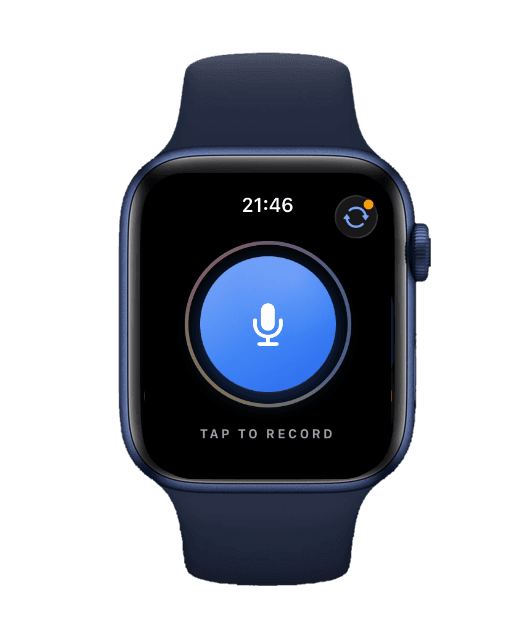
Start a recording on your Apple Watch when your iPhone is in a bag, a locker or another room.
- Out of reach is fine. The watch records on its own and keeps the file until your iPhone is back in range.
- Then it carries on. The recording moves to your iPhone, is transcribed, and shows up in your library.
- One tap from the watch face. Add the Record complication and you're one tap from recording.

Recording
00:32
Read it as it's said, or talk across two languages
Live
Live transcription puts the words on screen while you talk. Live Translate lets two people who don't share a language talk through one phone.
- Live captions. Follow a talk or a conversation as text, line by line, while it's recorded.
- Live Translate. Each person speaks in their own language; the phone shows the other language and says it aloud.
- Face to face. For a shop, a doctor's visit or a family dinner, with the phone on the table between you.
ENEnglish00:35
You
Could I have two of the seeded loaves?
Them
Of course. Shall I slice them?
ESSpanish00:35
¿Me da dos panes de semillas?
Tú
Claro. ¿Se los corto?
Already have Voice Memos?
On iOS 18, Apple's Voice Memos transcribes your recordings for free. For a quick note to yourself, that may be all you need. Here is where the two differ.
| Feature | Voice Memos (built in) | PrismaScribe |
|---|---|---|
| Cost | Free, part of iOS | Free plan with 30 min a month, paid plans for more |
| Languages | 10, on supported iPhone models, not in every region | 99+, detected automatically |
| Text while you record | Yes | Yes, with live transcription |
| Speakers | No speaker labels | Up to 32, each labeled, and you can rename them |
| Summaries | With Apple Intelligence, on supported devices | Summary, action items, meeting minutes and your own prompts |
| Study | Not built in | A quiz and flashcards to practise |
| Getting the text out | Copy and paste | TXT, SRT, VTT, PDF, DOCX and Markdown |
| Where your recordings are | Your Apple devices, through iCloud | iPhone, iPad and any web browser |
Voice Memos and PrismaScribe compared
Cost
- Voice Memos (built in)
- Free, part of iOS
- PrismaScribe
- Free plan with 30 min a month, paid plans for more
Languages
- Voice Memos (built in)
- 10, on supported iPhone models, not in every region
- PrismaScribe
- 99+, detected automatically
Text while you record
- Voice Memos (built in)
- Yes
- PrismaScribe
- Yes, with live transcription
Speakers
- Voice Memos (built in)
- No speaker labels
- PrismaScribe
- Up to 32, each labeled, and you can rename them
Summaries
- Voice Memos (built in)
- With Apple Intelligence, on supported devices
- PrismaScribe
- Summary, action items, meeting minutes and your own prompts
Study
- Voice Memos (built in)
- Not built in
- PrismaScribe
- A quiz and flashcards to practise
Getting the text out
- Voice Memos (built in)
- Copy and paste
- PrismaScribe
- TXT, SRT, VTT, PDF, DOCX and Markdown
Where your recordings are
- Voice Memos (built in)
- Your Apple devices, through iCloud
- PrismaScribe
- iPhone, iPad and any web browser
Voice Memos facts from Apple's Voice Memos and iPad user guides, checked on 21 October 2026. Both apps record on Apple Watch.
Study from your recordings
Study
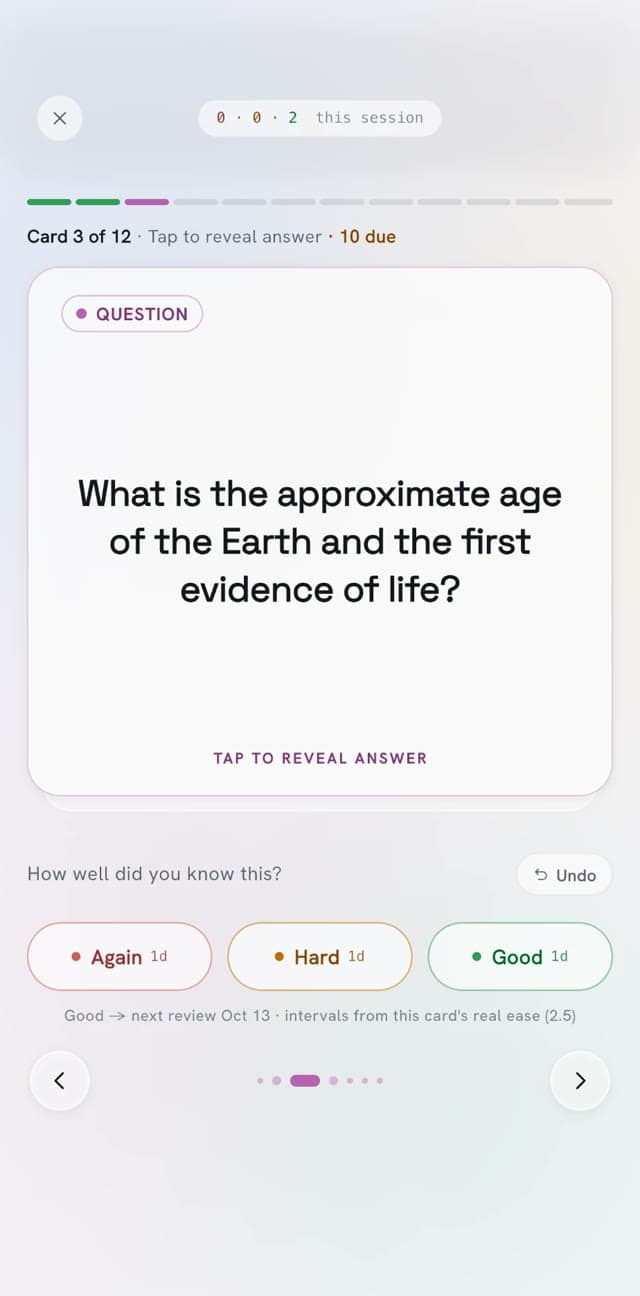
Record the lecture, then practise it on the bus home. The app turns a recording into a quiz you can take and flashcards you can drill.
- Take the quiz. Answer question by question and keep your streak going.
- Drill the cards. Mark each card Again, Hard or Good, and the ones you miss come back sooner.
- Start from a summary. Read the key points before you test yourself.

A meeting transcription app for the room and the call
Meetings
Put the phone on the table in a meeting room. For an online call, paste the Zoom, Google Meet or Microsoft Teams link and a notetaker joins it for you.
- In the room. Record from the middle of the table and get every person on their own line.
- On the call. Choose live text during the call, or the full transcript after it.
- After either one. Meeting minutes with decisions and action items, ready to share.

Meeting minutes
Spring launch plan
Team sync · 32:10
Decisions
- Launch moves to 12 May
- Amara owns the press list
Action items
- Draft the launch emailJonas · Due Friday
- Book the photo shootAmara
Everything in the app
What you can do with a recording on your iPhone.
Capture
- Record with the screen locked
- Record on Apple Watch
- Audio from Files, video from Photos
- Trim and clean up audio
- Recordings recovered if the app closes
- Widgets and Live Activity
- Live captions and Live Translate
- A notetaker for Zoom, Meet and Teams
Understand
- 99+ languages, detected automatically
- Up to 32 speakers, renamed in a tap
- Words highlighted as it plays
- Notes and bookmarks on any line
- Explain a word or a passage
- Ask a question about the recording
- A dyslexia-friendly reading mode, light and dark
Use
- Summary and action items
- Quiz and flashcard practice
- Translation
- Meeting minutes and drafts
- Your own prompts
- Listen to a passage read aloud
- 6 export formats
- Sharing and workspaces
Start from the Lock Screen
Widgets
Record without hunting for the app. On iOS 18 and later, PrismaScribe sits on your Home Screen and Lock Screen.
- Quick Record. A Home Screen widget that opens straight to recording, with a larger Quick Actions widget beside it.
- Record on the Lock Screen. One tap on the Lock Screen opens the app straight to recording.
- Live Activity. The timer stays on the Lock Screen and in the Dynamic Island while you record.
The same library on your phone and the web
One account
Everything you record in the app is in your web dashboard too, and the other way round. Sign in with Apple, Google or email.
- Record on the phone, edit at a desk. Open the same transcript in any browser to fix it line by line.
- Links on the web. Paste a YouTube or Vimeo link at prismascribe.ai and read the result on your phone.
- One plan. Your minutes and your files are shared between the app and the web.
Library3 recordings
| Name | Length | Date |
|---|---|---|
| Team sync | 32:10 | Oct 20 |
| Entrevista con Lucía | 18:42 | Oct 18 |
| Walk-and-talk notes | 06:05 | Oct 17 |
Last transcriptions
Team sync
Oct 20 · 32:10
Entrevista con Lucía
Oct 18 · 18:42
Walk-and-talk notes
Oct 17 · 06:05
Plans
Web prices, monthly and yearly. In the iPhone app, plans are bought through the App Store and follow its pricing, which can differ.
30 min a month, files up to 15 min
- Monthly
- $0
- Yearly
- $0
5 hr a month, files up to 5 hr
- Monthly
- $7 a month
- Yearly
- $2.60 a month, Save 63%
Regular price $84$31.20 for the first year. Renews at $52/year.
20 hr a month, files up to 5 hr
- Monthly
- $20 a month
- Yearly
- $6 a month, Save 70%
Regular price $240$72 for the first year. Renews at $120/year.
40 hr a month, files up to 8 hr 20 min
- Monthly
- $40 a month
- Yearly
- $12 a month, Save 70%
Regular price $480$144 for the first year. Renews at $240/year.
Good to know
- Live transcription, Live Translate, the meeting notetaker, action items, meeting minutes, drafts, your own prompts, Explain, audio clips, reading aloud, custom vocabulary and background noise removal need a paid plan.
- Free has 30 min a month, up to 15 min a day, for files up to 15 min.
- Widgets, the Lock Screen widget and Live Activities need iOS 18 or later. The app itself runs on iOS 15 and later.
- The watch records without your iPhone and sends the recording on through it, so the transcript arrives once the phone is back in range.
- Links from YouTube and other sites are pasted on the web. The app uploads from Files and Photos.
- The app runs on iPhone and iPad. Plans bought in the app follow App Store pricing; Pro is bought on the web.
Your recordings stay private
- Encrypted in transit and at rest, and visible only to you and the people you share them with.
- Never used to train AI models.
- Kept until you delete them.
iPhone app FAQ
More questions? Write to hello@prismascribe.ai.
Is PrismaScribe a free transcription app for iPhone?
The app is free to download, and the Free plan needs no card. It gives you 30 min of transcription a month, up to 15 min a day, for recordings up to 15 min, with speaker labels, every export format and 3 summaries, quizzes or flashcards a month. Live transcription, Live Translate, the meeting notetaker, action items, minutes and your own prompts come with paid plans, which also lift the limits.
What is the best transcription app for iPhone?
It depends on what you record. For a short note to yourself in a common language, the built-in Voice Memos may be enough. If your recordings have several speakers, other languages or longer conversations, or you want a summary, a quiz or subtitles from them, look for speaker labels, the languages you need, export formats and a way to open the same transcript on a computer. PrismaScribe has all four, plus recording on Apple Watch.
My iPhone can transcribe on its own. Why use an app?
Voice Memos transcribes in 10 languages on iOS 18 and lets you copy the text. PrismaScribe transcribes in 99+, labels up to 32 speakers, makes summaries, quizzes and flashcards, exports TXT, SRT, VTT, PDF, DOCX and Markdown, and keeps everything in a library you can also open on the web. The table above sets the two side by side.
Can I record on Apple Watch without my iPhone?
Yes. Start a recording on the watch with your iPhone out of reach. The watch keeps it, and when your iPhone is back in range the recording moves to it and is transcribed. The watch app works with the iPhone app, which sends the recording on to your account.
Does it transcribe live, while I talk?
Yes. Live transcription shows the words on screen as they're spoken, and Live Translate does the same for two people in two languages, saying each turn aloud. For online calls, the meeting notetaker can send live text during a Zoom, Google Meet or Microsoft Teams call.
Do my recordings show up on the web?
Yes. The app and prismascribe.ai share one account, one library and one plan. Record on the phone, then edit, export or share the transcript in a browser. Pasting a link from YouTube or another site is done on the web.
Which languages does it transcribe?
99+, and it detects the language for you, including recordings where people switch languages. The app itself is in 24 languages. See every language.
What happens if the app closes while I'm recording?
The recording isn't lost. Next time you open the app, it shows the recordings that were interrupted and asks what to do with each one.
Your next recording, already in text.

One recording in.
Everything you need out.