AI note taker
Ask your meeting what was decided, and the answer points to the moment it was said. Send the AI meeting note taker to Zoom, Google Meet or Teams as a bot, or put your iPhone on the table in person.
- 30 min of free transcription a month, no card
- The summary and Ask on every plan
Meeting minutes: Monday planning · 24:37 iPhone
Decisions
- Planting at the bakery courtyard starts on Wednesday.
- The olive tree moves closer to the bench.
Action items
Check the plant list and send the order to the nursery Priya Due Tuesday noon
Redraw the courtyard lighting plan Felix Due Wednesday

A meeting's notes, from start to finish
Before the meeting
How to get notes from a meeting
Choose how the meeting gets heard. Every way ends in the same transcript and the same notes.
1 Send the bot to the call
Paste a Zoom, Google Meet or Teams link, and the bot joins as “PrismaScribe Notetaker”.
2 Record the room on the web
Record a meeting in person with your laptop's microphone, from your browser.
3 Record on iPhone or Apple Watch
Put the phone on the table, or start on the Watch with no phone nearby.
4 Or upload a recording
Recorded it already? Upload the file in any of 16+ formats.
Send the note taker to Zoom, Google Meet or Teams
Paste the meeting link and the AI note taker for Zoom, Google Meet or Teams joins as “PrismaScribe Notetaker”, then posts a recording notice in the chat. The host usually has to let it in: from the Teams lobby, Meet's join requests, or Zoom's waiting room when it's on.
- Paste the link each time, on the web or in the iPhone app. No calendar access needed.
- Standard transcribes after the call and detects the language. Live shows text during the call, less accurately, in a language you pick.
- It leaves when everyone else has gone, and you can stop it any time.

Meeting in person? Put your phone on the table
Record on your iPhone, or from your browser on a laptop. The example meeting on this page was recorded on a phone lying on a studio table, and its notes start forming from the room's lines.
- Up to 32 speakers are labeled, and you can rename them.
- Recorded it already? Upload the file in any of 16+ formats.

Transcript: Monday planning · 24:37
- 6:38
FelixThe client wants the olive tree moved closer to the bench. That changes the lighting.
- 6:52
IngridLet's move it. The bench gets the afternoon sun. Felix, can you redraw the lighting plan?
Summary
The olive tree moves closer to the bench, and Felix redraws the lighting plan by Wednesday. 6:38
During the meeting
Record the room on your iPhone or Apple Watch
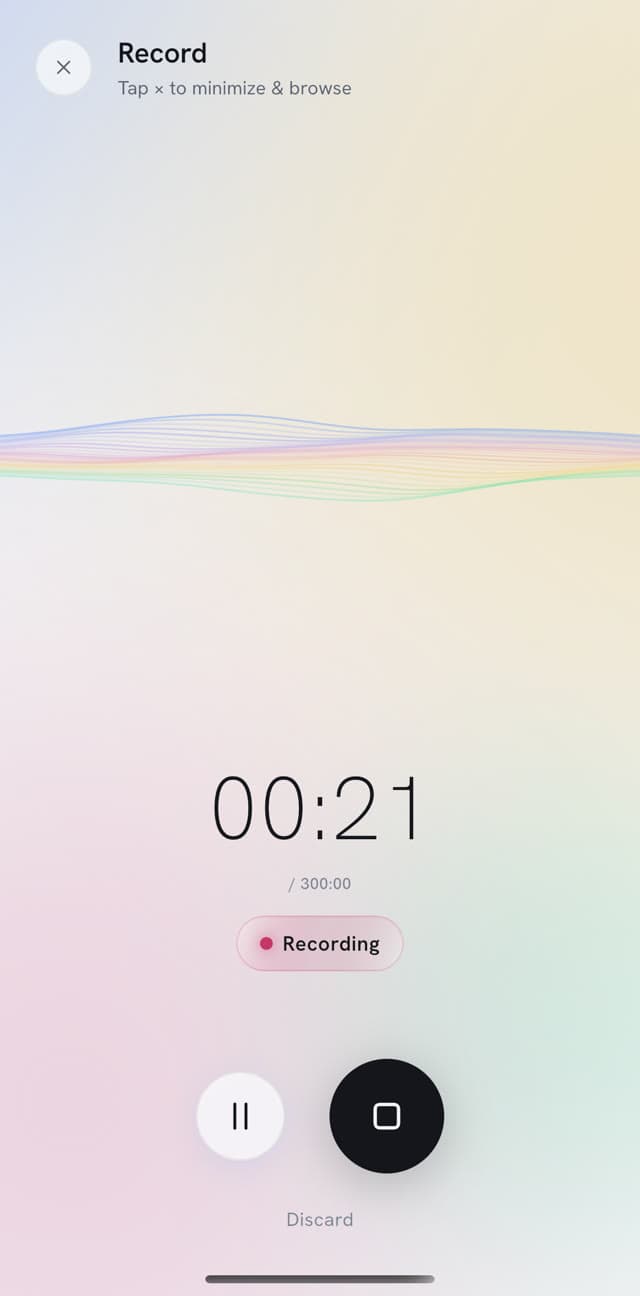
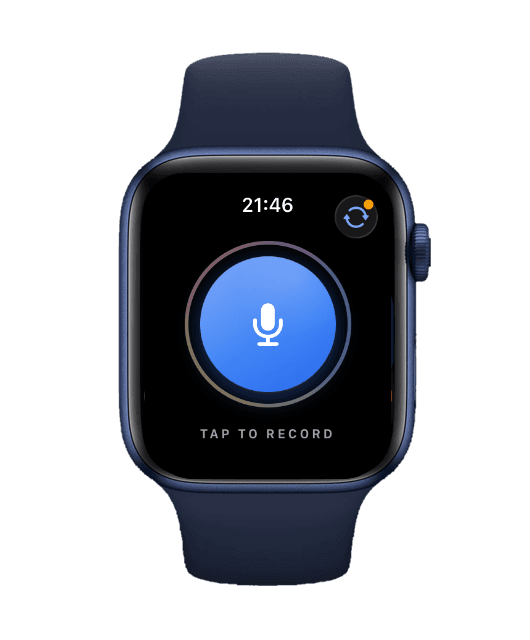
Put your iPhone on the table and press record, or start on Apple Watch, even with no phone nearby. The recording syncs when you're back in range.
- See the words as people talk with live transcription in the iPhone app. In a call, the bot's Live mode does the same.
- For the most accurate transcript, use the bot's Standard mode, which transcribes after the call.

After the meeting
One click for each set of notes
When the transcript is ready, usually a few minutes after the meeting, one click makes your AI meeting notes: the summary, the minutes or the to-do list. Or ask the meeting a question.
Summary
Monday planning
Monday planning · 24:37
Made with: Include timestamps
Overview
The studio planned its week: planting at the bakery courtyard, the nursery order, a change to the courtyard lighting, and the hillside garden visit and quote.
Key points 5
Felix says the courtyard paving is finished, so planting starts on Wednesday. 1:46
The nursery needs the order by Tuesday noon. Priya checks the list against the drawing first. 2:03
The olive tree moves closer to the bench, and Felix redraws the lighting plan by Wednesday. 6:38
The hillside client wants to keep the old stone wall. It stays if it's sound, and Felix checks it on Thursday. 11:18
Ingrid writes the hillside quote for next Monday, with Priya's plant prices by Friday. 21:44
Meeting minutes
Monday planning
Monday planning · 24:37
Participants
- Ingrid Studio lead
- Felix Site lead
- Priya Planting designer
Agenda
The bakery courtyard, the plant order, and Thursday's visit to the hillside garden.
Decisions
- Planting at the bakery courtyard starts on Wednesday.
- The olive tree moves closer to the bench.
Action items
Check the plant list and send the order to the nursery Priya Due Tuesday noon
Redraw the courtyard lighting plan Felix Due Wednesday
Action items
Monday planning
Monday planning · 24:37
Made with: Detailed, Group by speaker
Priya 3
Check the plant list against the drawing 2:15
Send the plant order to the nursery by Tuesday noon 2:15
Send Ingrid the plant prices by Friday 21:56
Felix 3
Redraw the courtyard lighting plan by Wednesday 6:52
Check the stone wall on Thursday and take photos 11:31
Take the levels at the hillside garden 11:40
Ingrid 1
Write the hillside garden quote for next Monday 21:44
Ask about this recording
Asked: When does planting start at the courtyard, and what has to happen first?
The paving is finished, so planting starts on Wednesday. 1:46 Before that, the nursery needs the order by Tuesday noon for a Wednesday delivery. 2:03 Priya checks the plant list against the drawing and sends the order. 2:15
30 min of free transcription a month, no card.
Send the notes to whoever missed the meeting
Copy the minutes as text, or share a link that opens without an account. It expires when you choose, and you can turn it off.
- One-time view stops the link working after it's opened once.
- Invite people by email as viewers or editors.
- Need a file? The transcript downloads as TXT, SRT, VTT, PDF, Word or Markdown.

Link expires
- 30 minutes, selected
- 24 hours
- 7 days
- 1 year
Active links
- 7QHM2PNA One-time viewprismascribe.ai/s/
7QHM2PNAExpires in 30 minutesCopy linkRevoke
Everything else you can do with a meeting
Make the notes you need, work in the transcript, then pass them on.
Make the notes
- SummaryKey points, a short TL;DR, in order or by topic.
- AskAsk what was decided and jump to the moment it was said.
- AI notesStart a note and let it write on from what was said.
- Follow-up emailA draft email or memo written from the meeting.
Work in the transcript
- Speaker namesUp to 32 speakers labeled, and you can rename them.
- EditingFix a word in the transcript or a line in the minutes.
- Notes and bookmarksMark a line and write your own note beside it.
Pass it on
- Calendar reminderSave the open to-dos as a calendar reminder.
- TranslationTranslate the transcript into 99+ languages.
- Share linkIt expires when you choose, and you can turn it off.
Notes in the language of the meeting
Meetings are transcribed in 99+ languages, detected automatically, even when someone switches mid-sentence. The notes come out in the meeting's language, or in another one you pick.
- Detection
- Automatic, except in Live mode
- Summary, minutes, drafts
- The meeting's language or one you pick
- To-do list
- Keeps the meeting's language
- Ask
- Answers in the language you ask in
Read about multilingual transcription.
The olive tree moves closer to the bench, and Felix redraws the lighting plan by Wednesday.
The hillside client wants to keep the old stone wall. It stays if it's sound, and Felix checks it on Thursday.
Plans and prices
Free is a plan you can stay on, with no card. Pay monthly, or pay for the year and save up to 38%.
A half-hour client call with the bot each week is about 2 hr a month of meeting time, which fits Premium.
- Transcription
- 30 min a month, files up to 15 min
- Meeting bot
- Not included
- Monthly
- $0
- Yearly
- $0
- Transcription
- 5 hr a month, files up to 5 hr
- Meeting bot
- 1 hr a month
- Monthly
- $7 a month
- Yearly
- $52 a year, Save 38%$4.33 a month, billed once a year
- Transcription
- 20 hr a month, files up to 5 hr
- Meeting bot
- 3 hr a month
- Monthly
- $20 a month
- Yearly
- $150 a year, Save 38%$12.50 a month, billed once a year
- Transcription
- 40 hr a month, files up to 8 hr 20 min
- Meeting bot
- 6 hr a month
- Monthly
- $40 a month
- Yearly
- $300 a year, Save 38%$25 a month, billed once a year
Good to know
- The meeting bot, meeting minutes, to-do lists, drafts and live transcription on iPhone need a paid plan. The summary, Ask and AI notes are on every plan.
- Notes are made when you click, once the transcript is ready. Each one uses an AI generation: 3 a month on Free, 30 on Starter, 100 on Premium, 200 on Pro.
- Meeting time: 1 hr a month on Starter, 3 hr on Premium, 6 hr on Pro, separate from your transcription hours. Top-ups add transcription hours, not meeting time.
- The bot joins Zoom, Google Meet and Microsoft Teams, one meeting at a time, and you paste the link each time. There's no desktop app or browser extension, so for a call without the bot, upload its recording.
- Minutes and summaries copy as text or share by link. The file downloads are for the transcript.
- The bot posts a recording notice in the chat. Tell people you're recording too; the rules differ by country and state.
Your meetings stay private
- Encrypted in transit and at rest, and visible only to you and the people you share them with.
- Never used to train AI models.
- Delete a meeting and its recording is deleted from our recording provider too.
AI note taker FAQ
More questions? Write to hello@prismascribe.ai.
What is an AI note taker?
An AI note taker turns what was said in a meeting into notes: a summary, minutes with decisions and action items, and a to-do list. PrismaScribe is an AI notetaker on the web and iPhone. It makes the notes from a recording, or from the meeting bot it sends to Zoom, Google Meet or Teams.
Is there a free AI note taker?
Yes, for short meetings. PrismaScribe's Free plan transcribes recordings up to 15 min each, 15 min a day and 30 min a month, no card. It makes summaries and answers questions about them, 3 AI generations a month in all. The meeting bot, minutes and to-do lists need a paid plan.
Is it legal to use an AI note taker in a meeting?
It depends on where you and the others are, and some places need everyone's consent, so tell people before you record. The PrismaScribe bot joins as a visible participant named “PrismaScribe Notetaker” unless you rename it, and posts a recording notice in the chat.
Is there an app that takes notes during a meeting?
PrismaScribe shows the words during the meeting and makes the notes after it. On iPhone, live transcription puts the text on screen as people talk, and the meeting bot's Live mode does the same in a call. The summary, minutes and to-dos come from the transcript once the meeting ends.
Is there an AI note taker for in person meetings?
Yes. Put your iPhone on the table, start on Apple Watch, or record from your browser on a laptop. Up to 32 speakers are labeled, and you can rename them. The notes are made the same way as for a call.
Does the iPhone have an AI note taker?
PrismaScribe's iPhone app is an AI note taker app. Record a meeting on the phone, or start on Apple Watch with no phone nearby, then make the summary, minutes or to-do list from it. You can send the meeting bot to a call from the app too.
How do I take notes from a Google Meet call?
Paste the Meet link into PrismaScribe on the web or in the iPhone app, and the bot asks to join. The host usually admits it from Meet's join requests. When the transcript is ready, usually a few minutes after the call, one click makes the summary, minutes or to-do list.
Can a chat assistant take meeting minutes?
It can write minutes from a transcript you paste in, if you have one. PrismaScribe starts with the meeting itself: it records the call or the room, labels each speaker and makes AI meeting minutes from that transcript. Answers from Ask and each to-do point back to the moment in the recording.
What languages does it take notes in?
Meetings are transcribed in 99+ languages, detected automatically, even when someone switches mid-sentence. Summaries, minutes and drafts come out in the meeting's language or one you pick. The to-do list keeps the meeting's language, and Ask answers in the language you ask in.
How safe are my meeting notes?
Recordings, transcripts and notes are encrypted in transit and at rest, and only you and the people you share them with can see them. They're never used to train AI models. A share link expires when you choose, and deleting a meeting deletes its recording from our recording provider too.
How much does an AI note taker cost?
Free costs $0. The meeting bot, minutes and to-do lists need a paid plan: Starter is $7 a month with 1 hr of meeting time and 30 AI generations, Premium ($20) has 3 hr and 100, Pro ($40) has 6 hr and 200. Compare plans.
Ask your next meeting what was decided.
30 min of free transcription a month, no card.

One recording in.
Everything you need out.